It checks what is said, with sources.
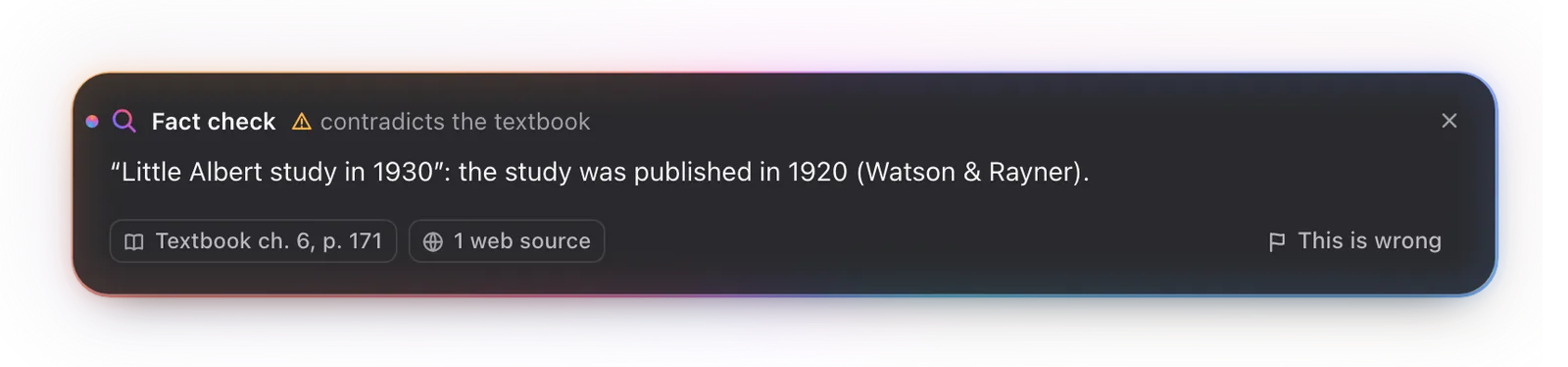
When a date, a name, a number or a finding does not match your own notes and files or the web, a quiet note appears with the source. Claims that check out stay out of your way.
 Earspace, by Orkhon
by Orkhon
In a lecture, a meeting or a panel, it helps while people are still talking, not with a summary afterwards.
In development. Not available yet. For Mac with Apple Silicon.
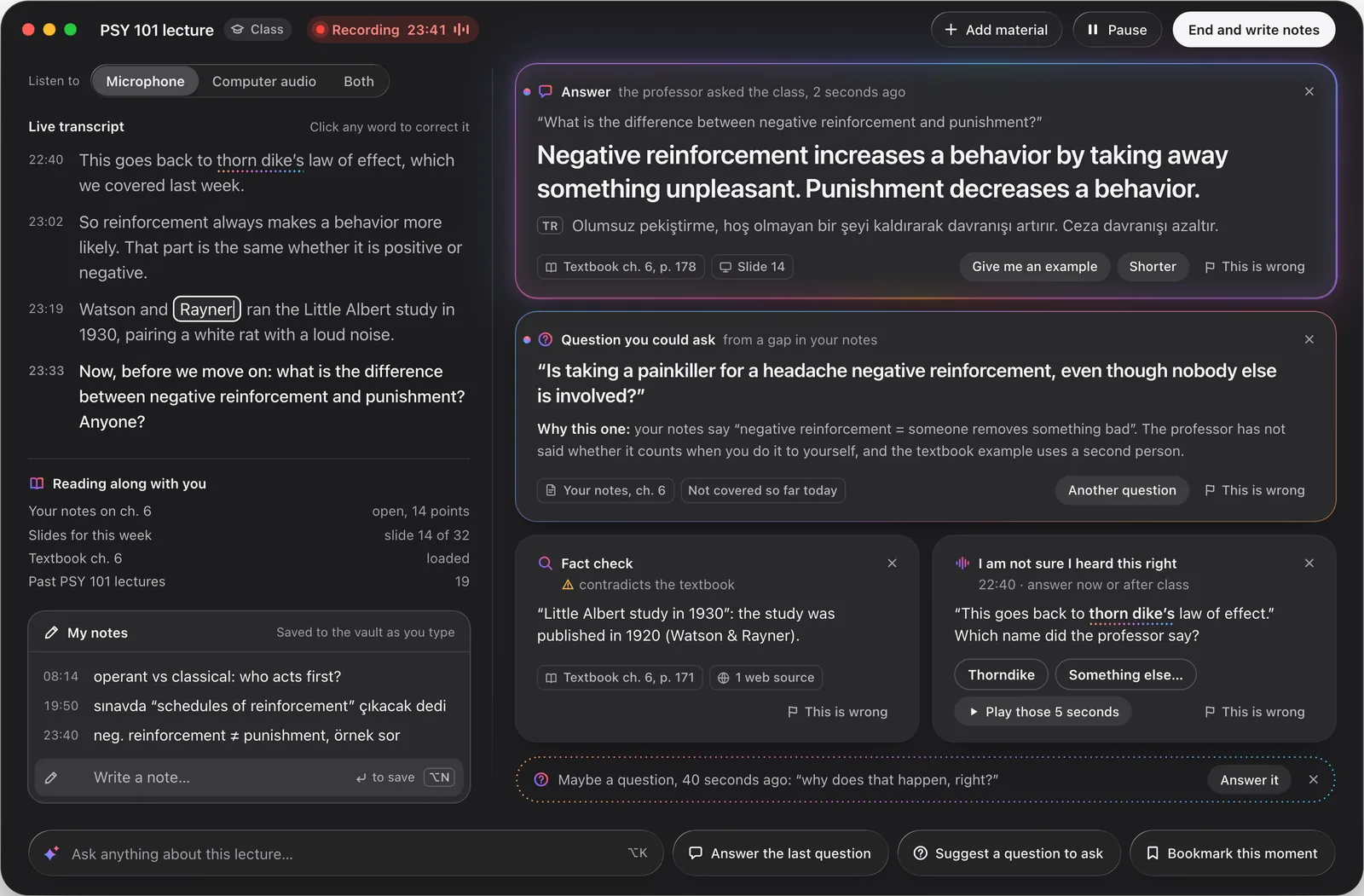
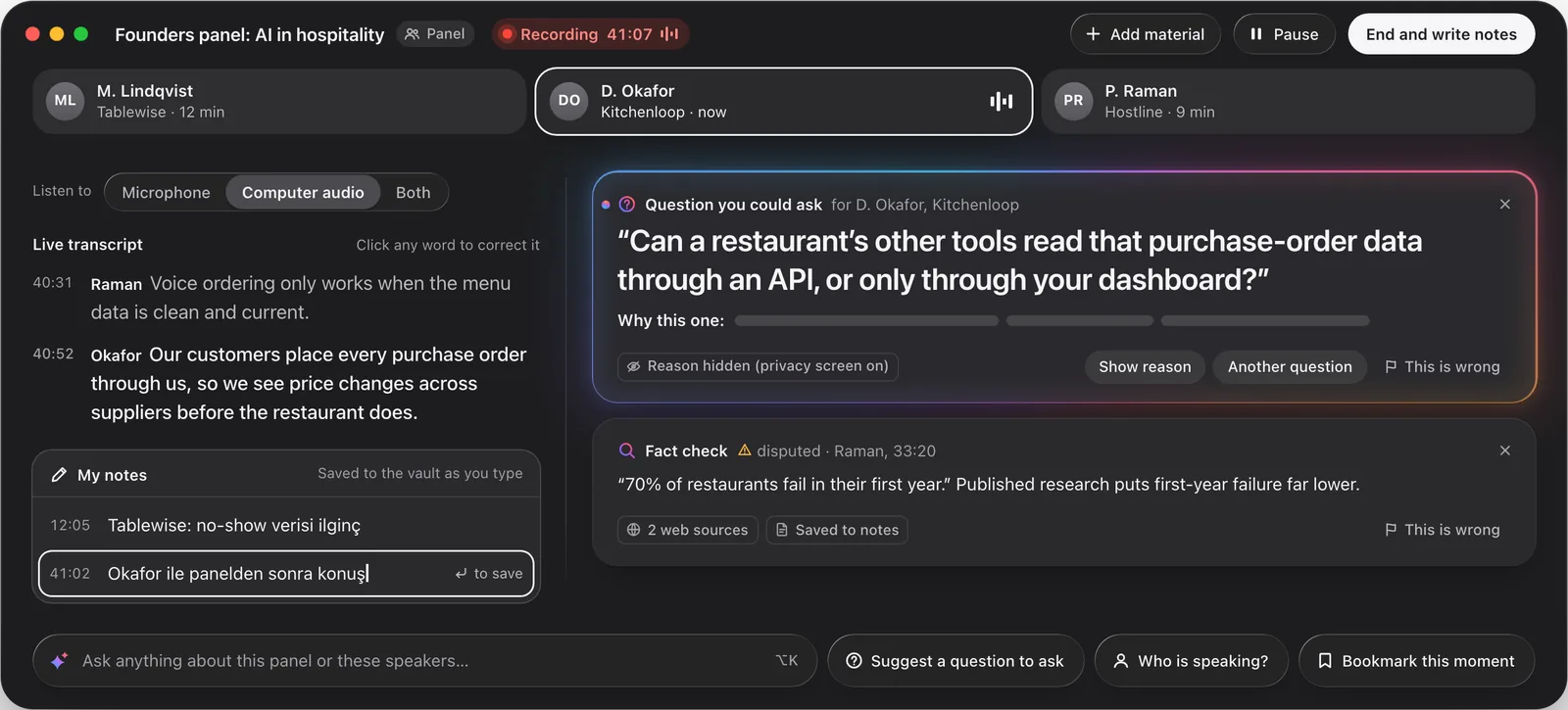
Design previews. The people, notes, figures and sources in them are invented sample content; the app is in development.
Plenty of apps record a lecture or a meeting and summarize it afterwards. This one reads along with your own notes, files and earlier sessions while people talk. These four things are what it adds.
When a date, a name, a number or a finding does not match your own notes and files or the web, a quiet note appears with the source. Claims that check out stay out of your way.
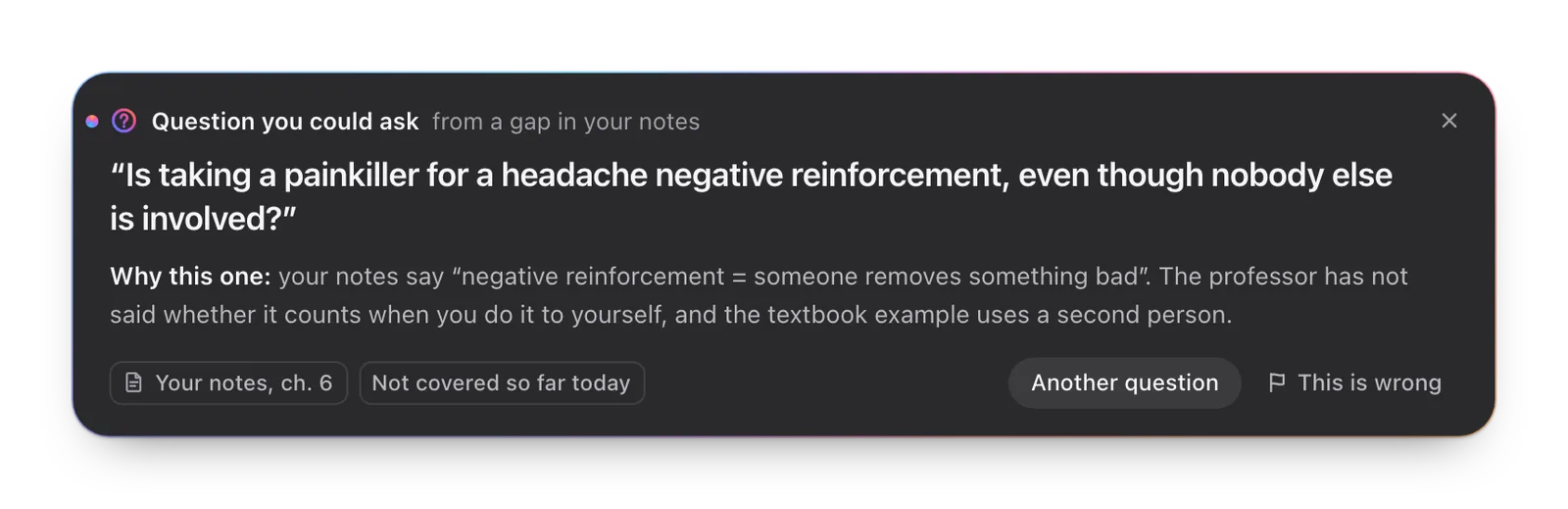
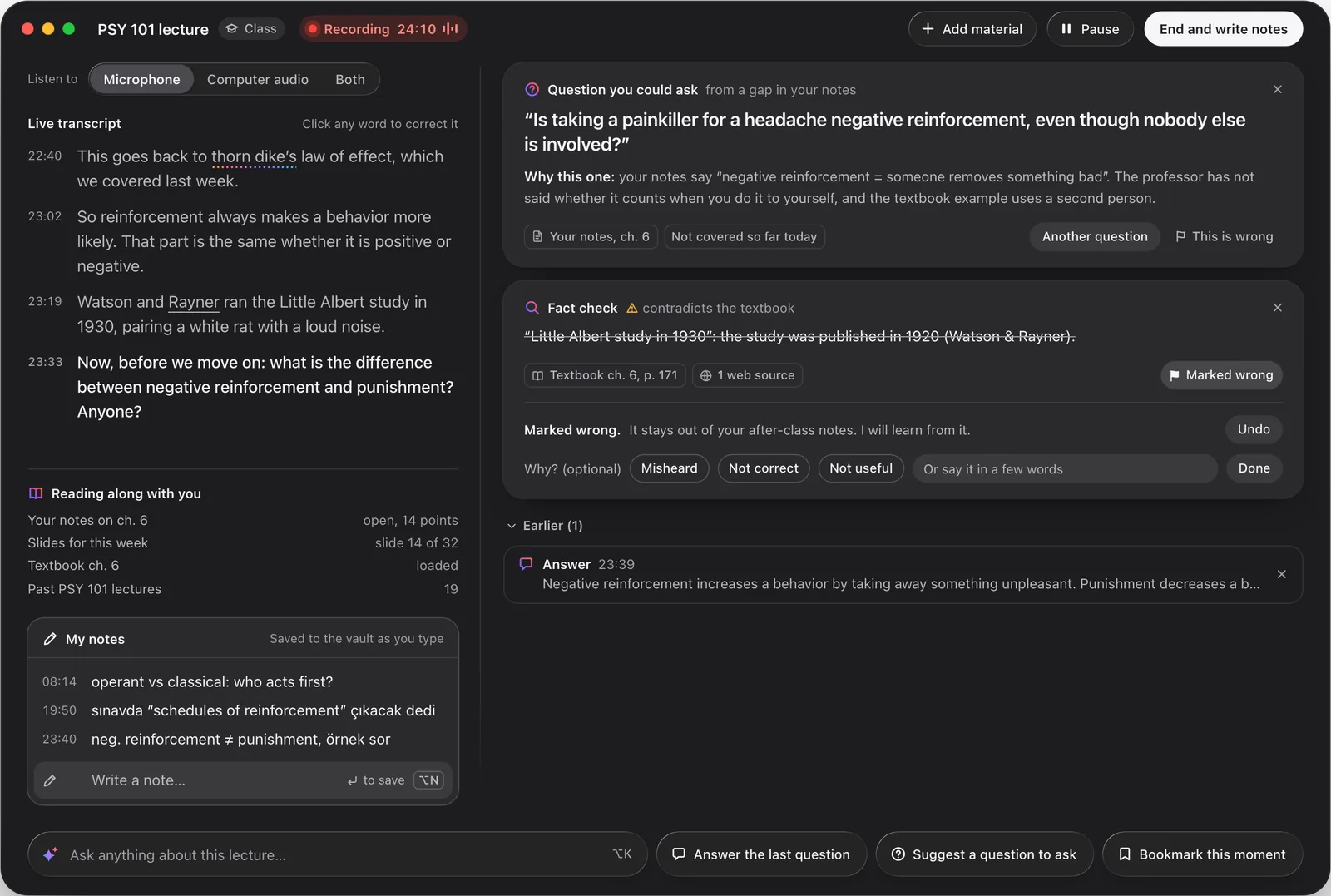
It reads your notes alongside the conversation. Where they leave a gap, it suggests one question you could ask the instructor or a speaker, and tells you why.
Give it a worksheet or a form from the session. It fills what it can from what was said and your own files, and leaves the rest to you.
Connect an AI account with your own key, or run a local model on the Mac. Either way, no transcript passes through our servers.
Orkhon’s servers: in neither path.
Shown here in a lecture; a meeting or a panel runs the same way. Light means one thing in this window: something new for you.
Words appear on the left as the instructor speaks. The right side stays empty until something needs you.
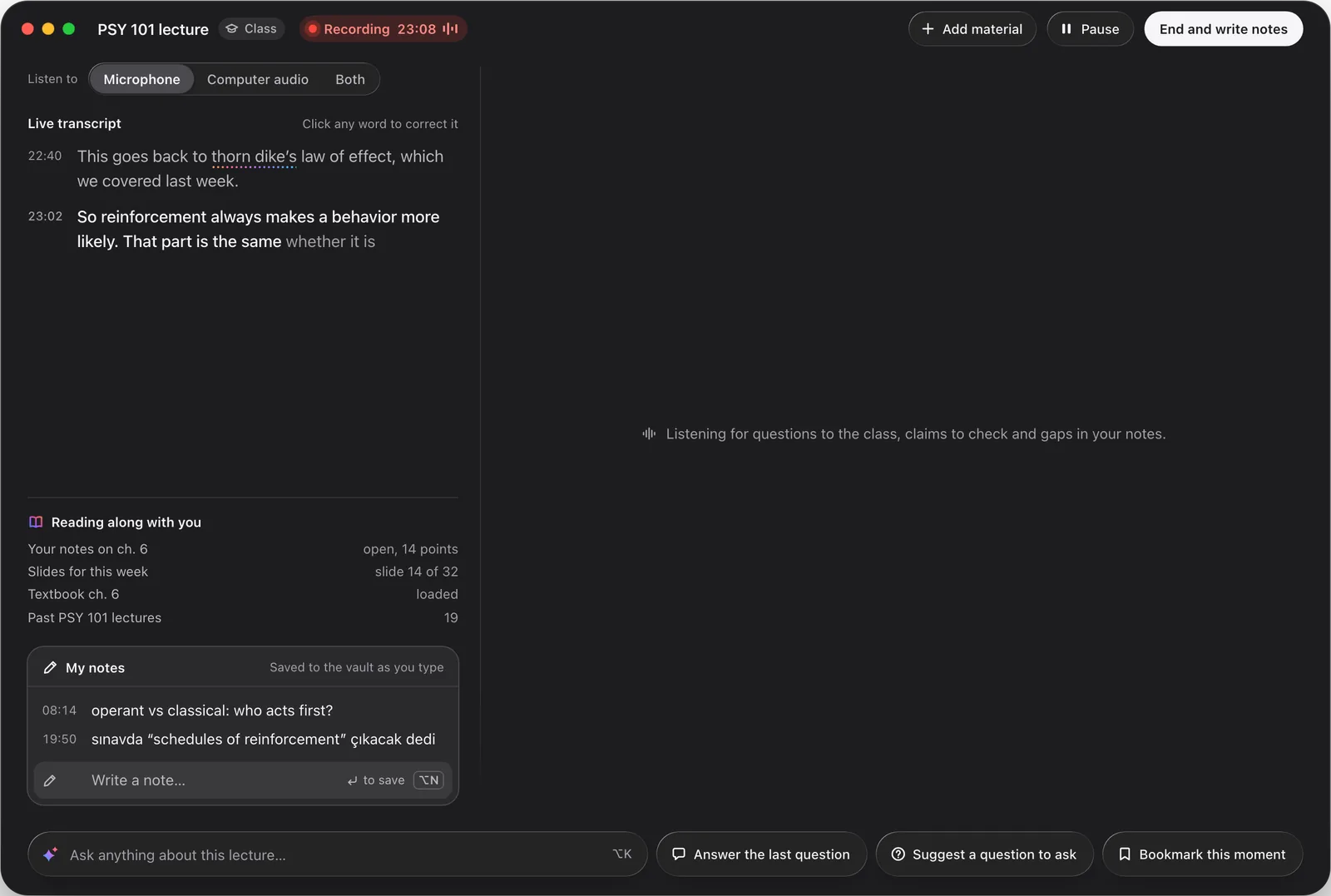
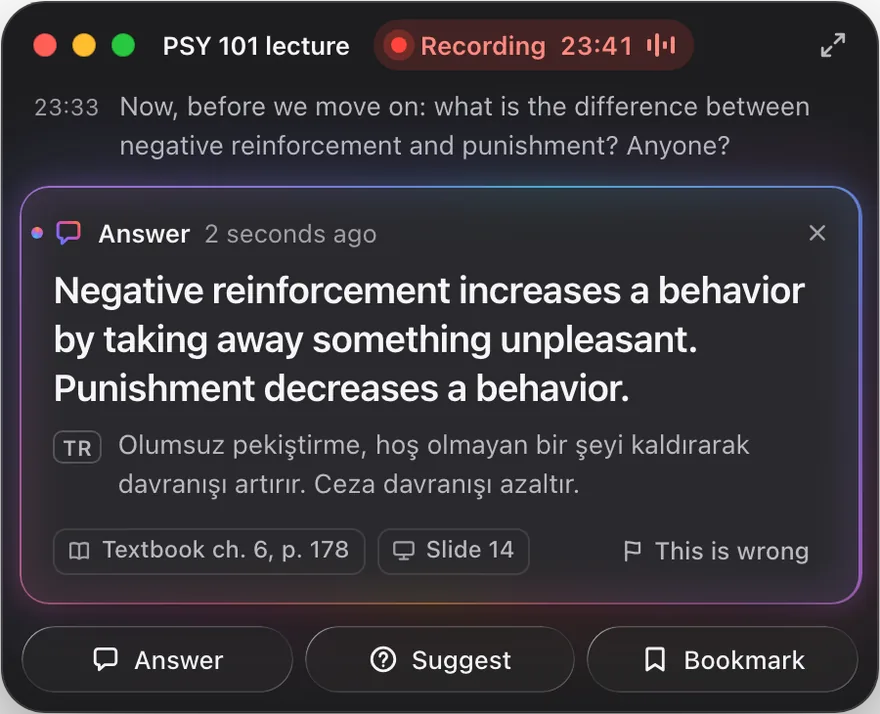
An answer arrives in a card: the question as heard, a short answer you could say aloud, and where it comes from. It glows while it is new.
Want a second language too? Pick one in settings and each answer gets one translated line under it. Off unless you switch it on.
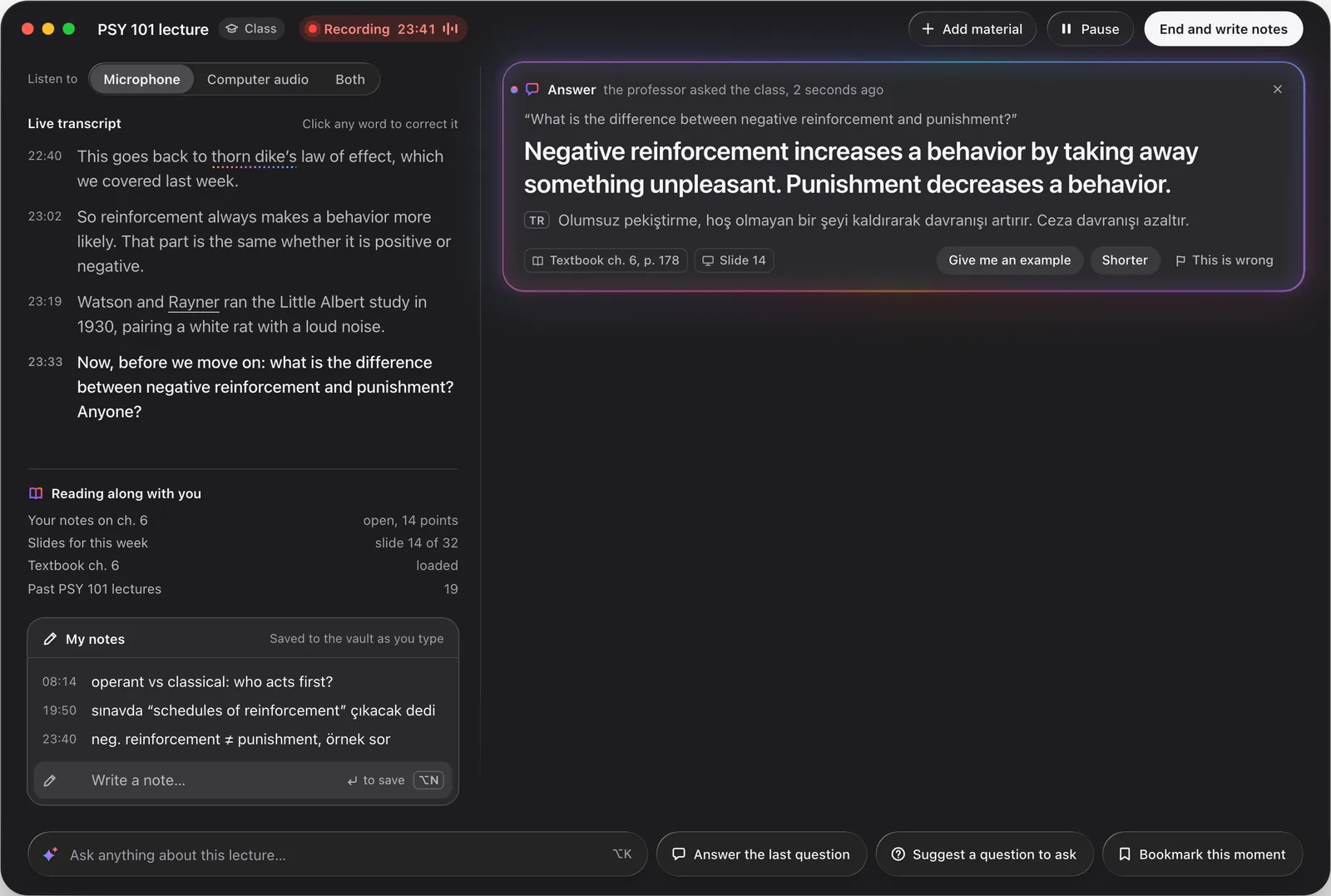
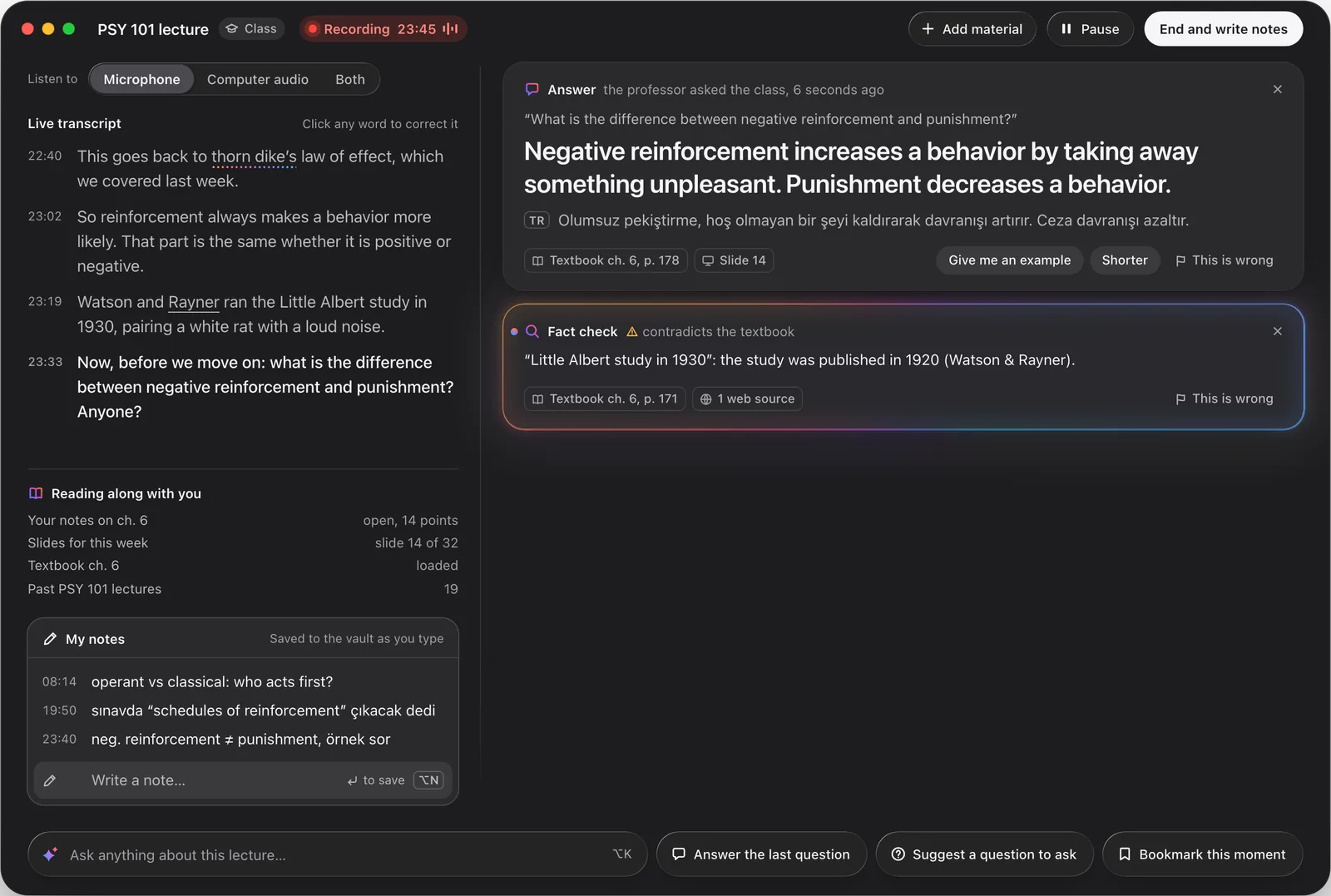
You read the answer and its glow goes out. A fact check arrives under it: the year said in class is not the year in your textbook.
Every card has “This is wrong.” One click marks it, and a card you mark stays out of your notes.
Shrink it to a compact window that stays on top, beside your slides. When class ends, it writes your notes, keeps yours apart from its own, and files them as plain text in a folder you choose.
Your audio stays on your Mac.
Speech becomes text on the Mac itself. The AI you chose receives text, never audio, and with the local model nothing leaves at all.
Recording needs permission.
Ask before you record: the instructor, the host or the people in the room. The app reminds you in every new course or event, and a red Recording sign stays on screen whenever it is listening.
Made for listening and taking part. Not for exams or graded work.
Use it to follow along, check what you hear and join in. Do not use it in exams, quizzes or anything that is graded.
Source available. Free for personal use. The code will be published at github.com/orkhonai/earspace.
Macs with Apple Silicon. It is a Mac app; there is no Windows or phone version.
Yes. It can listen to the microphone, to the sound your Mac is playing, or both, so a call you join online works the same way as a room.
A Mac with Apple Silicon, permission to record from the instructor or the host, and either your own key for an AI provider or the local model, which needs no key.
It transcribes English. If you like, each answer can carry one line in a second language you pick.
It is in development and not available yet. People on the waitlist hear from us when there is something to try.
We will email you when there is something to try. Your answers help us decide what to build.